
Tool Foundry / Build Lab
Build LabBuild analysis and optimisation for Unity
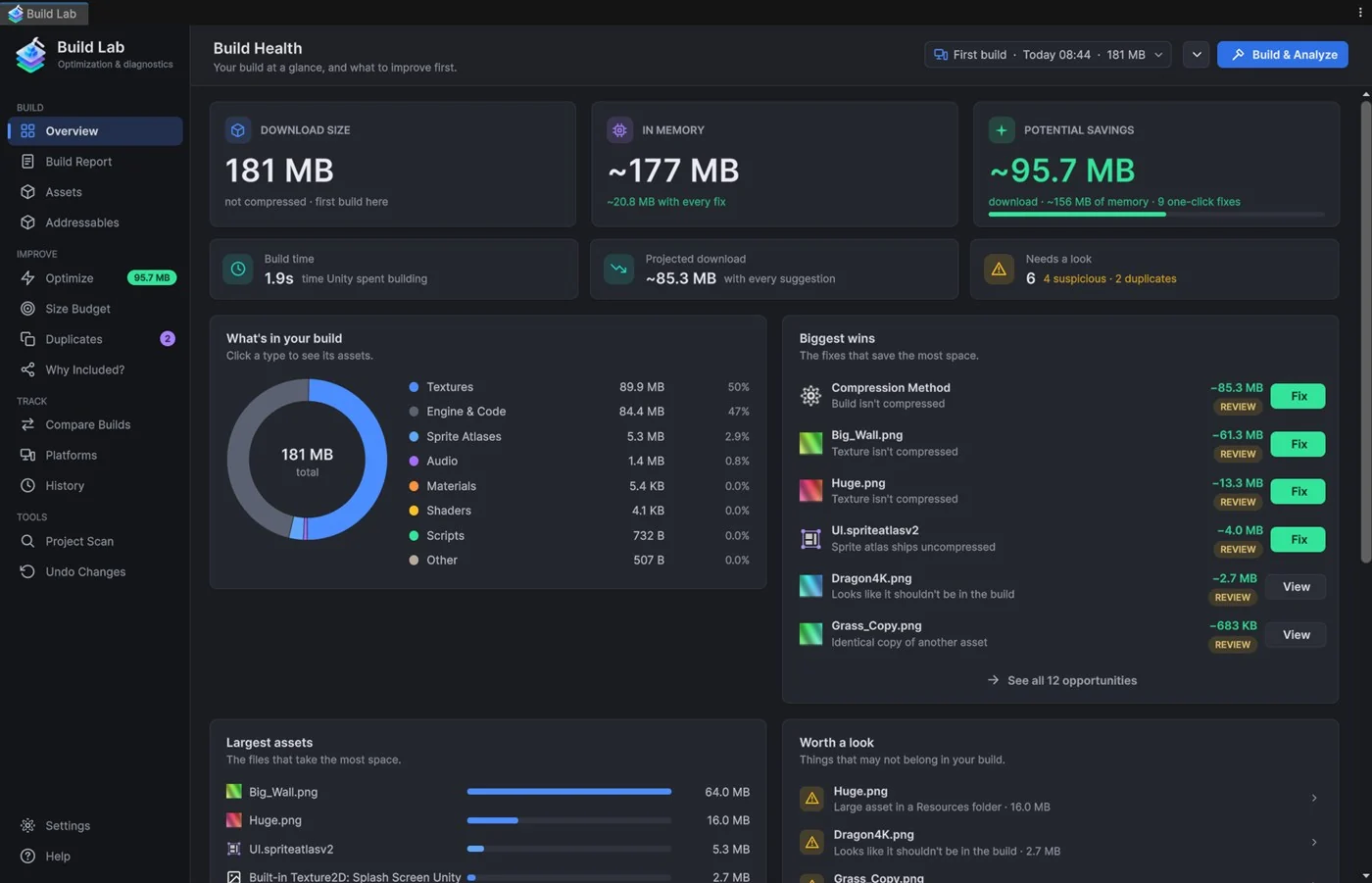
Build Lab analyses Unity builds and project assets in the Editor. Inspect build contents, asset sizes, estimated memory, build steps and optimisation suggestions. Use the information to review import settings, compare builds and decide which changes are appropriate for your project.
01
What you can do
- Build and analyse with current Build Settings, read the latest build report or scan project assets without a build.
- Review 56 checks covering textures, atlases, audio, meshes, shaders, build settings and other asset categories.
- Preview supported texture changes and estimated savings, then apply selected or batch fixes.
- Trace why assets are included, identify duplicates, compare builds or platforms, and export asset data as CSV.
- Keep build snapshots, plan against platform size budgets and run build-budget checks from the command line.
A practical workflow
Start with a build report or Project Scan. Review suggestions and their Safe, Review, Risky or Manual labels, inspect supported previews and choose which fixes to apply. Keep saved change sessions and their backups if you want to restore supported settings later. Rebuild to measure the actual result of the changes.
02
Requirements and limits
- Targets Unity 2021.3 LTS or newer; developed and tested with Unity 6 on Windows. Editor-only code is excluded from player builds.
- Project Scan sizes, asset memory and projected savings are estimates. Build Lab is not a live runtime memory profiler.
- Addressables bundle and group analysis requires Addressables and an available build-layout JSON report.
- Restoration covers supported changes and depends on retained sessions and backups. Duplicate detection does not automatically delete files.
- Awaiting Asset Store review at the last availability check on 29 October 2026. Ask us about current availability.
Documentation and support
The package includes HTML and PDF manuals. For help, email the product name, your Unity version and the steps that led to the issue.