
Tool Foundry / Capture Lab
Capture LabTimelapse, video and screenshots inside Unity
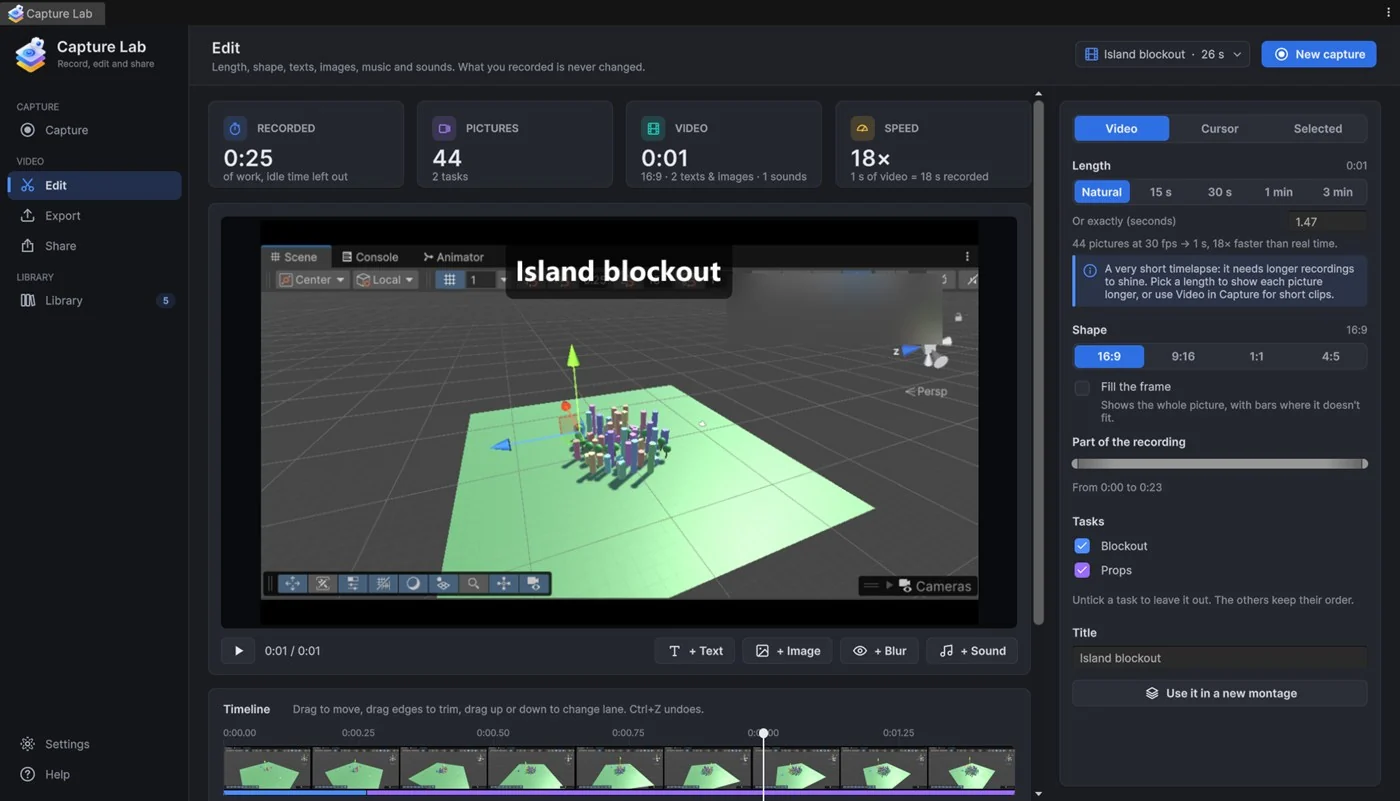
Capture Lab records your work in Unity and provides an editor for preparing the result. Capture timelapses, real-time video or screenshots, combine clips into montages, and add text, images and sound. Export a devlog, tutorial or progress clip as MP4 or GIF from the Editor.
01
What you can do
- Capture the Scene view, Game view, selected Unity panels, the whole editor or a screen area.
- Record real-time video at up to 60 fps, with optional computer sound and microphone tracks.
- Create timelapses from periodic pictures and organise recordings and screenshots in a library.
- Edit with text, image and audio tracks, blurred areas, zoom on clicks and changes of speed.
- Combine recordings and screenshots into montages and export MP4, GIF or image sequences.
A practical workflow
Choose a capture mode and source, check the framing and start recording. Open the result in Edit to choose its length and shape, adjust clips and add overlays or sound. Use Export to choose the output format. Recording and editing remain separate steps, so you can prepare more than one presentation of the same captured work.
02
Requirements and limits
- Requires Windows 10 or 11 and Unity 6000.4 or newer. Capture, screenshots, sound recording and video import use Windows APIs.
- Editor-only: Capture Lab code is not added to your game builds.
- MP4, GIF and image-sequence export are built in. Additional formats require an optional, separately installed FFmpeg; it is not included or downloaded by Capture Lab.
- Recorded sound plays in real-time sections; music and sound added during editing can span accelerated sections.
- Awaiting Asset Store review at the last availability check on 29 October 2026. Contact us for the current status.
Documentation and support
The package includes HTML and PDF manuals. For help, email the product name, your Unity version and the steps that led to the issue. Also include your Windows version.