Tool Foundry / Image Lab
Image LabLayered image editing inside Unity
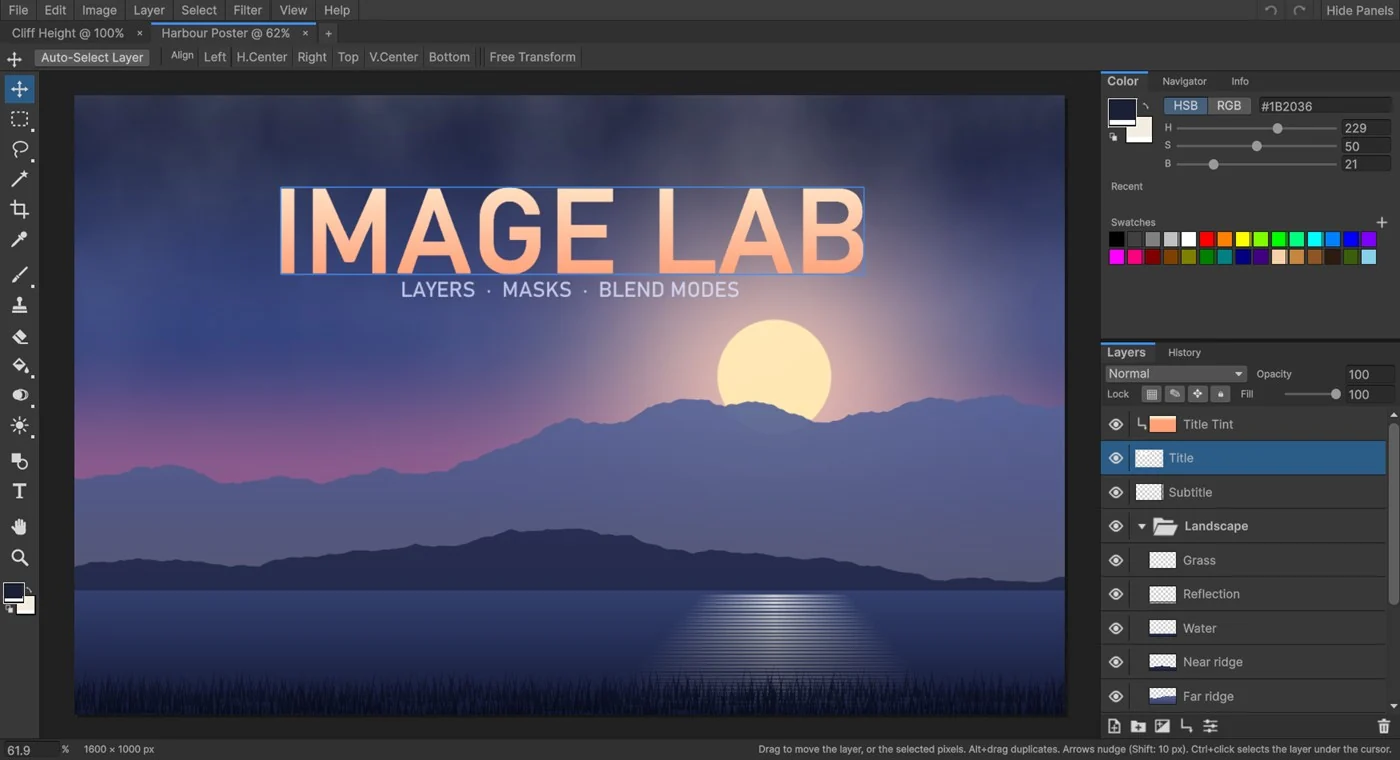
Image Lab is a layered image editor that runs as a Unity Editor window. Open a PSD, PSB or texture, make changes and save the result back to your project. It brings image editing next to the scene, materials and other assets that use your work.
01
What you can do
- Organise images with layers, groups, masks, clipping masks, opacity and blend modes.
- Paint with brushes, make selections, transform layers, crop images and apply adjustments or filters.
- Use texture utilities for normal maps from height, edge padding and channel packing.
- Open images from the Project window, Inspector or disk, and work with several document tabs.
- Import Photoshop brushes in ABR format and use the History panel to revisit editing steps.
A practical workflow
Start by opening an image or a copy of an asset. Select a layer, paint or apply a filter, then inspect the result on the canvas. Saving a file inside Assets makes Unity re-import it, so the updated texture can be used in your project. Formats without layers may require a flattened export or a separate PSD.
02
Requirements and limits
- Developed and tested with Unity 6 (6000.4) on Windows. Check the current store listing and included manual before installing.
- Editor-only: Image Lab code is excluded from player builds.
- Editing and saving use 8 bits per channel. Keep originals when higher precision is required.
- PSD and PSB support does not reproduce every Photoshop feature. Adjustment and fill layers open as regular layers rather than live adjustments; layer styles are not rendered; text and smart objects open as pixels.
Documentation and support
The package includes HTML and PDF manuals. For help, email the product name, your Unity version and the steps that led to the issue.